Main menu
You are here
RS485 on rPi
[last updated: 2025-10-06]
RS485 home page
rPi serial communication
see also GMC GUI project
rPi home page
-----
- Hardware:
- Connections:
There are five connections required between the rPi and the MAX module.- +5v and gnd to power the MAX485
(strictly speaking the MAX could be powered with a separate supply instead of from the rPi,
but the gnd connection between them is still required.) - 3 signal connections:
- rPi digital output -to- MAX-DE/RE: allow the rPi to control the MAX's enable line (High to Tx, Low to Rx)
- you can use your choice of rPi DO for this signal.
rPi-Tx -to- MAX-DI: serial data sent from the rPi to the MAX module (Max-DI = digital input)
- rPi serial port (UART0) uses GPIO14 for the Tx line
MAX-RO -to- rPi-Rx: serial data received by the MAX485 on its RS485 bus, and sent to the rPi Rx receive pin
- rPi serial port (UART0) uses GPIO15 for the Rx line.
(Max-RO - received output)
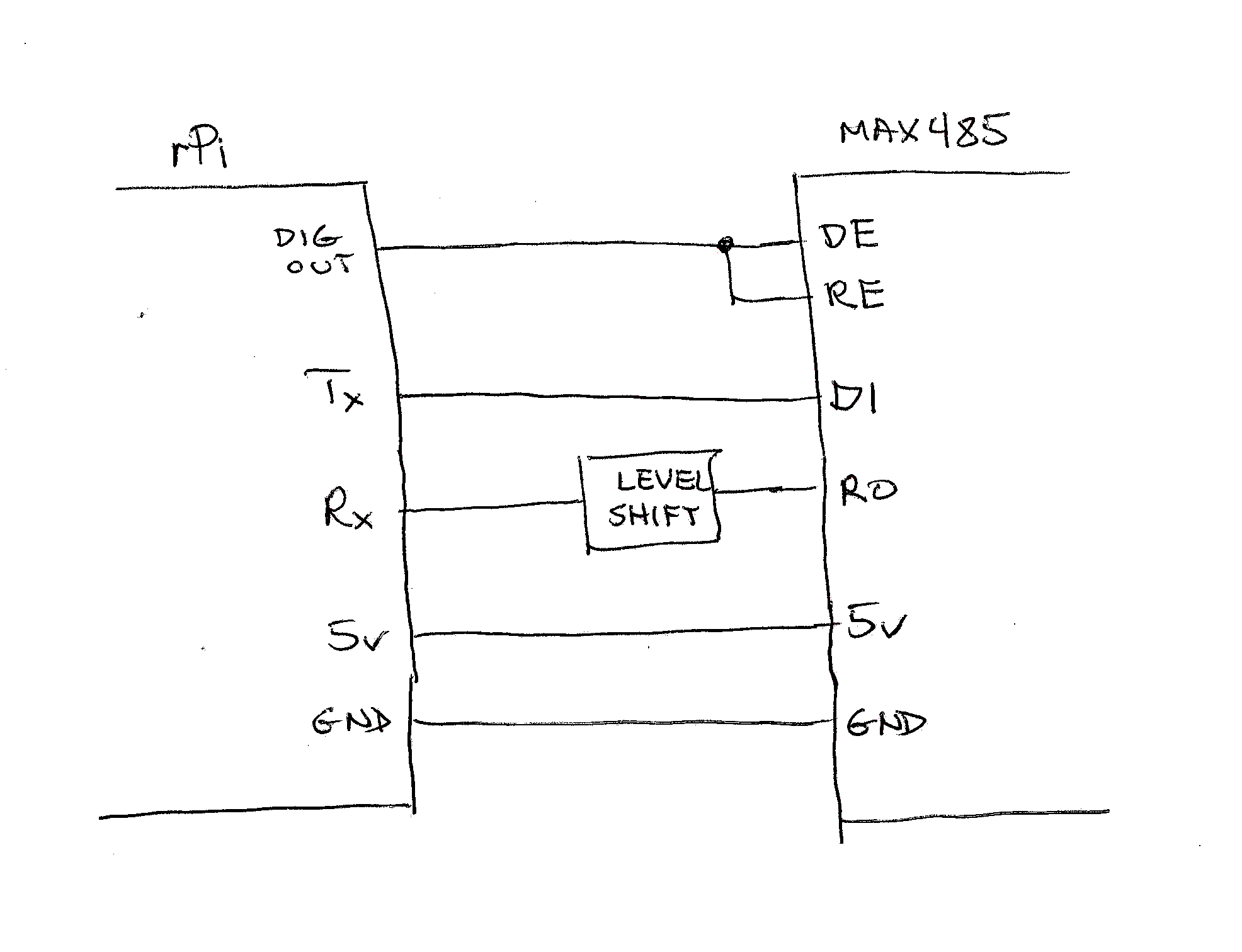
- Two of these signals, both signals From the rPi To the MAX module, specifically the enable control and the rPi-Tx signals, can be directly connected to the MAX485,
because the 3.3v output from the rPi will still be read as digital high on the 5v MAX485. - However the 5v RO signal sent From the MAX485 To the rPi would damage the 3.3v inputs on the rPi if it were directly connected,
so a level shift circuit is required.
- +5v and gnd to power the MAX485
-------------------------------
- Connections:
- Software:
- The rPi communicates to the MAX485 module with serial communication (using an onboard UART).
rPi serial port (UART0) uses GPIO14 (Tx) and GPIO15 (Rx) - The rPi-Tx signal is a serial data stream that is output from a UART on the rPi.
The RS485 definition/protocol does not specify anything about this data stream,
so the programmer must decide what it will be when he writes the software code.
Baud rate, packet size, start/stop bits, error correction techniques, basically everything about the data
must be defined by the program.
-------------------------------
- The rPi communicates to the MAX485 module with serial communication (using an onboard UART).
- Links:
.
.
.
eof
Powered by Drupal